
Stop Doing It by Hand: What to Automate in Odoo (No Developer Needed)
Every business runs on a layer of invisible manual work: the reminder someone has to remember to send, the follow-up that depends on a person noticing, the status someone updates by hand, the approval chased over email. None of it is hard — but it eats hours, and the moment someone’s busy or away, things slip.
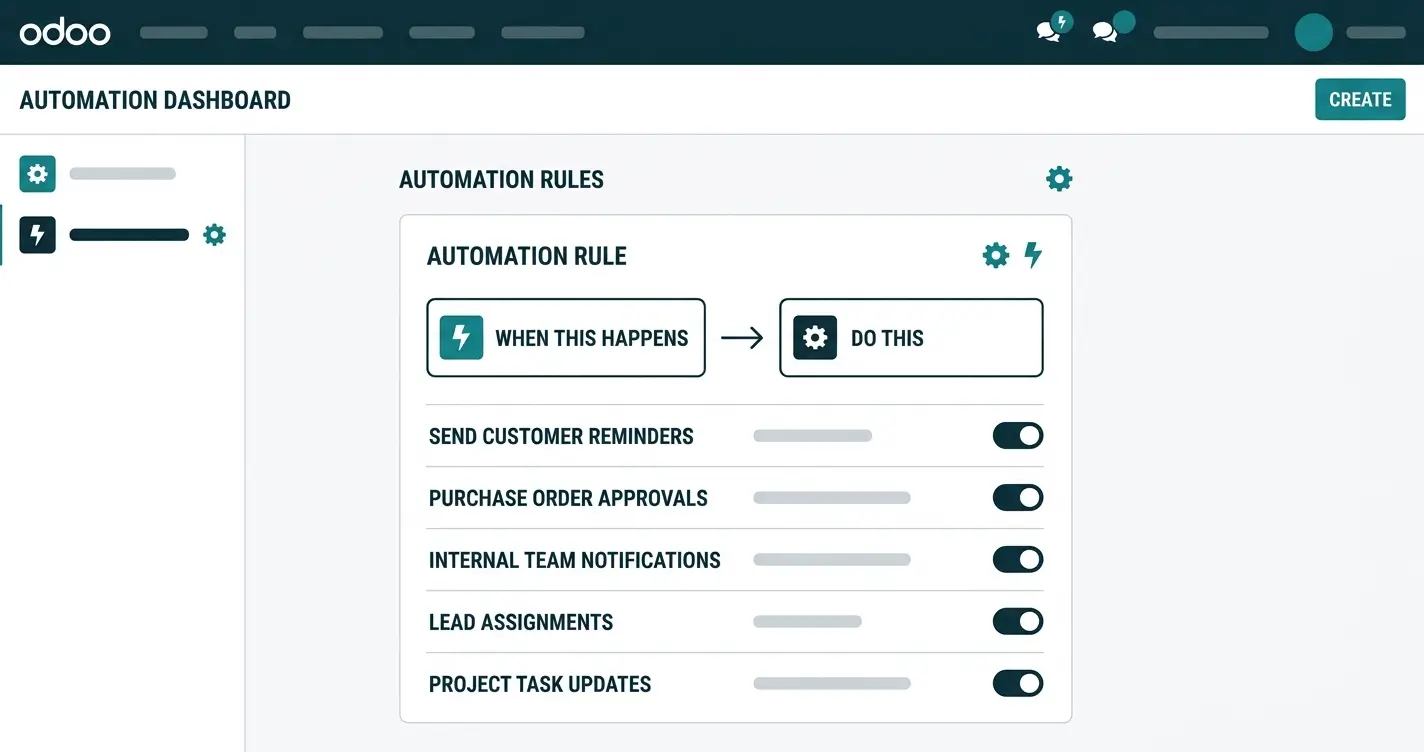
Odoo can do a lot of that work for you — automatically, and without a developer. Its built-in automation lets you set a simple rule: when something happens, do this. This guide covers what’s actually worth automating in Odoo, with practical examples — and what it saves you.
How Automation Works in Odoo (the Simple Version)
You don’t need code to automate in Odoo. At its core, automation follows one pattern: a trigger and an action. When a trigger happens — a record is created or updated, a date arrives, a field changes — Odoo runs an action you’ve defined, like sending an email, creating a task, updating a field, or notifying someone.
You set these rules once, and they run quietly in the background. Some run instantly when something happens; others run on a schedule, for example every morning. The result is the same: the routine step happens on its own.
What’s Actually Worth Automating in Odoo
Not everything should be automated — but the repetitive, rule-based steps are exactly what Odoo handles well. The highest-value ones:
- Reminders and follow-ups — automatically remind a salesperson to follow up on a quote, or a customer about an unpaid invoice, after a set number of days.
- Approvals — route a leave request, an expense, or a purchase for approval automatically the moment it’s submitted.
- Status and field updates — move a deal to the next stage, flag an overdue task, or tag a record, based on a condition.
- Notifications — alert the right person when something needs attention: a big order, a stuck ticket, a low stock level.
- Record creation — turn a won deal into a project, or raise a recurring invoice, without re-entering anything.
- Scheduled housekeeping — run a daily or weekly task on its own, like a summary email or a status sweep.
Each one removes a step someone used to do by hand — and, just as importantly, a step someone used to forget.
A Few Examples That Pay Off Quickly
To make it concrete, here’s automation doing real work:
- The invoice that chases itself — when an invoice passes its due date, Odoo emails the customer a polite reminder, so no one has to track who’s late.
- The lead that never goes cold — when a new lead sits untouched for a few days, Odoo pings the salesperson to follow up.
- The approval that moves itself — the moment an expense is submitted, it reaches the right manager, with no forwarding.
- The onboarding that runs on rails — when a new employee is added, Odoo creates their onboarding tasks automatically.
None of these need a developer — they’re rules a business user, or your Odoo partner, sets up once.
What to Automate vs. What to Leave Alone
Automation is powerful, but it isn’t for everything. A simple rule of thumb:
| Good to automate | Leave to a person | |
|---|---|---|
| Nature | Repetitive & rule-based | Judgment & nuance |
| Examples | Reminders, approvals, tagging | Negotiations, sensitive replies |
| Trigger | A clear condition or date | Context that changes each time |
| Benefit | Speed, consistency, no slips | Human judgment where it matters |
Automate the busywork; keep people for the decisions. Done right, automation gives your team back the hours the busywork was eating.
Getting Automation Set Up the Right Way
Because automation runs on its own, a badly-set rule can do the wrong thing quietly — so it’s worth setting up deliberately:
- Start with the painful, repetitive tasks — the reminders and follow-ups that slip most.
- Keep each rule simple and clear — one trigger, one obvious action, so you always know what’s running.
- Test before you trust — check a rule does exactly what you expect before relying on it.
- Review it periodically — as your processes change, your automation should change with them.
Most of this is configuration a business user can do — but if you want it mapped to your real workflows (and to your Odoo implementation overall), a partner can set it up so it fits how you actually work. Book a free consultation to see what’s worth automating first.
Frequently asked questions
Can you automate tasks in Odoo without coding?
Yes. Odoo’s built-in automation works on a trigger-and-action pattern you set up in its settings — no custom code needed. You define the trigger (what happens) and the action (what Odoo should do in response).
What can Odoo automate?
Common examples include reminders and follow-ups, approvals, field and status updates, notifications, record creation (like turning a deal into a project), and scheduled tasks that run daily or weekly.
What’s the difference between an instant and a scheduled automation?
An instant automation runs the moment a trigger happens — for example, when a record is created or updated. A scheduled automation runs on a timer, such as every morning, regardless of any single event.
Should I automate everything in Odoo?
No. Automate repetitive, rule-based steps — reminders, approvals, tagging. Leave tasks that need human judgment or nuance, like negotiations or sensitive replies, to a person.
Do I need a developer to set up Odoo automation?
For most rules, no — a business user can configure them. A developer or Odoo partner helps when the logic is complex, needs to connect to other systems, or should be mapped carefully to your workflows.
How do I start automating in Odoo?
Begin with the repetitive tasks that slip most, such as reminders and follow-ups. Set one simple rule, test it, and expand from there. An Odoo partner can help you choose what’s worth automating first.
The repetitive work that fills your team’s day — the reminders, the follow-ups, the approvals, the status updates — is exactly the work Odoo can do on its own. You don’t need custom code or a bigger team; you need a few well-chosen rules. For businesses across Egypt, Saudi Arabia, and the UAE, automating the busywork is one of the fastest ways to get more done with the people you already have.