
Odoo Employee Self-Service Portal: What It Does and How to Set It Up
HR teams rarely slow down because the work is hard — they slow down because it's repetitive. A leave request on paper, a payslip re-sent by email, a phone number updated by hand: each one is small, but together they bury the HR inbox and push the real work aside.
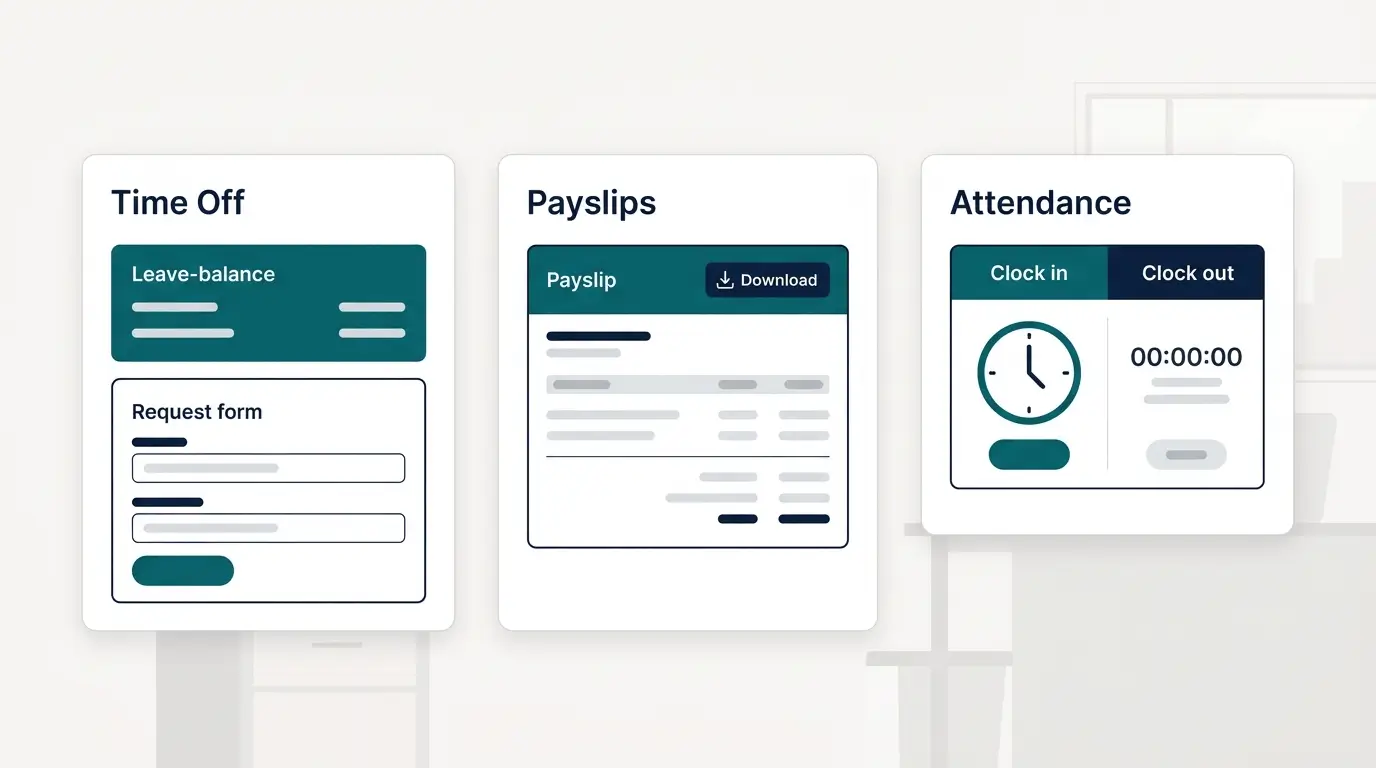
An employee self-service portal fixes that by letting staff handle those routine tasks themselves. In Odoo, that portal isn't a separate add-on — it's built into the HR apps your team already uses, so a leave request, a payslip, and an expense claim all live in one system. This guide explains what the Odoo employee self-service portal does, what employees can do on their own, and how to set it up.
What Is the Employee Self-Service Portal in Odoo?
The Odoo employee self-service portal is the part of Odoo HR where employees log in to manage their own information and requests — time off, payslips, attendance, expenses, and personal details — instead of going through HR for each one. It's the same system HR uses, just with every employee seeing their own records.
Because it's built into Odoo rather than bolted on, every action an employee takes updates the same records HR and payroll rely on — no re-keying, and no separate tool to keep in sync.
Does Odoo Have an Employee Self-Service Portal?
Odoo doesn't ship a single app literally called “Self-Service.” The self-service experience is delivered through the standard Odoo HR apps, each giving the employee their own view:
- Employees — the employee's profile, documents, and personal details.
- Time Off — leave requests, remaining balance, and approval status.
- Attendances — clock in and out, and a record of worked hours.
- Payroll — payslips available to each employee as they're released.
- Expenses — expense claims submitted with receipts for approval.
Set up together, these give employees one place to serve themselves — and give HR one system instead of five inboxes.
What Employees Can Do Themselves
Once the portal is live, the routine requests that used to land on HR move to the employee:
- Request time off — and see their leave balance and request status without asking HR.
- View and download payslips — each payslip appears in the portal as it's released.
- Clock in and out — and check their own attendance and worked hours.
- Submit expense claims — upload a receipt and send it for approval.
- Update personal information — address, phone, emergency contact, and the bank details payroll uses.
Each of these updates the same record HR and payroll use, so the data stays correct and the back-and-forth disappears.
What Managers Get
Self-service isn't only for employees — it cuts the manager's admin too.
- Approvals in one place — time-off and expense requests arrive for approval, on desktop or mobile.
- A team time-off calendar — who's off and when, visible before approving the next request.
- Less chasing — requests, balances, and approvals are tracked in Odoo instead of email threads.
Manual HR vs. Odoo Self-Service
The difference isn't just convenience — it's where the data lives and how much HR has to touch it.
| Manual / email HR | Odoo self-service portal | |
|---|---|---|
| Leave requests | Forms and email threads | Submitted & approved in Odoo, balance auto-updated |
| Payslips | Re-sent by HR on request | Available to each employee in the portal |
| Attendance | Spreadsheet or a separate device | Clock in/out tied to the employee record |
| Expense claims | Paper receipts, manual entry | Submitted with receipt, routed for approval |
| Personal data | HR edits it on request | Employee updates their own record |
| Where it lives | Scattered files and inboxes | One system, shared with payroll |
Because the portal sits on the same platform as payroll, approved time off and expenses flow straight into pay — which is the point of running it on Odoo HR & Payroll rather than a standalone HR tool.
How to Set Up the Self-Service Portal in Odoo
Turning on self-service is mostly configuration, not development:
- Create an employee record for each person, linked to a user login.
- Give each employee portal access so they see only their own data.
- Enable the HR apps you want self-served — Time Off, Attendances, Payroll, Expenses.
- Set the approval rules — who signs off on leave and on expenses.
The exact leave types, approval chains, and payroll rules are configured to your company and your country's labour rules, so the setup matches how you actually work.
Which Setup Fits Your Team?
How much you switch on depends on your team — and the drivers behind the cost are broken down in our guide on what an Odoo implementation costs:
- Small team, simple needs — Employees plus Time Off alone removes most of the manual requests.
- Hourly or shift workforce — add Attendances so clock-in and worked hours feed payroll.
- Field or travelling staff — Expenses with mobile submission keeps claims and receipts in one place.
- Operating across Egypt, KSA, or the UAE — one system keeps self-service, approvals, and localized payroll aligned across branches, with Odoo underneath.
Frequently asked questions
Does Odoo have an employee self-service portal?
Yes. Self-service isn't a separate app — it's delivered through Odoo's standard HR apps (Employees, Time Off, Attendances, Payroll, Expenses), where each employee sees and manages their own records.
What can employees do in the Odoo self-service portal?
Request time off and check their balance, view and download payslips, clock in and out, submit expense claims, and update their own personal details — without going through HR.
Can employees see their payslips in Odoo?
Yes. Each payslip is made available to the employee in the portal as it's released, so HR doesn't have to re-send them.
Can employees request leave in Odoo?
Yes. Employees submit time-off requests in the portal, see their remaining balance, and track approval — and the balance updates automatically once the request is approved.
Is the Odoo self-service portal available on mobile?
Yes. Employees and managers can submit and approve requests from the Odoo mobile app or a browser, so approvals don't wait for someone to be at a desk.
How much does an Odoo HR setup cost?
It depends on the number of employees, which HR apps you enable, and your payroll and approval rules. Contact a certified Odoo partner for a scoped quote.
An employee self-service portal doesn't replace HR — it gives HR its time back. Because self-service in Odoo runs on the same apps as payroll and approvals, every request an employee handles themselves is one less thing to re-key, chase, or correct. For teams across Egypt and Saudi Arabia, it's one of the quickest HR wins Odoo delivers.