
Odoo ITSM Helpdesk vs. Generic Support Tools: What’s the Real Difference?
Odoo ITSM helpdesk and a generic ticketing tool both log support requests — but that’s where the similarity ends. A generic helpdesk tracks individual tickets. Odoo ITSM helpdesk manages the wider IT service lifecycle: incidents, problems, changes, assets, and knowledge, connected to the same system your company already runs on.
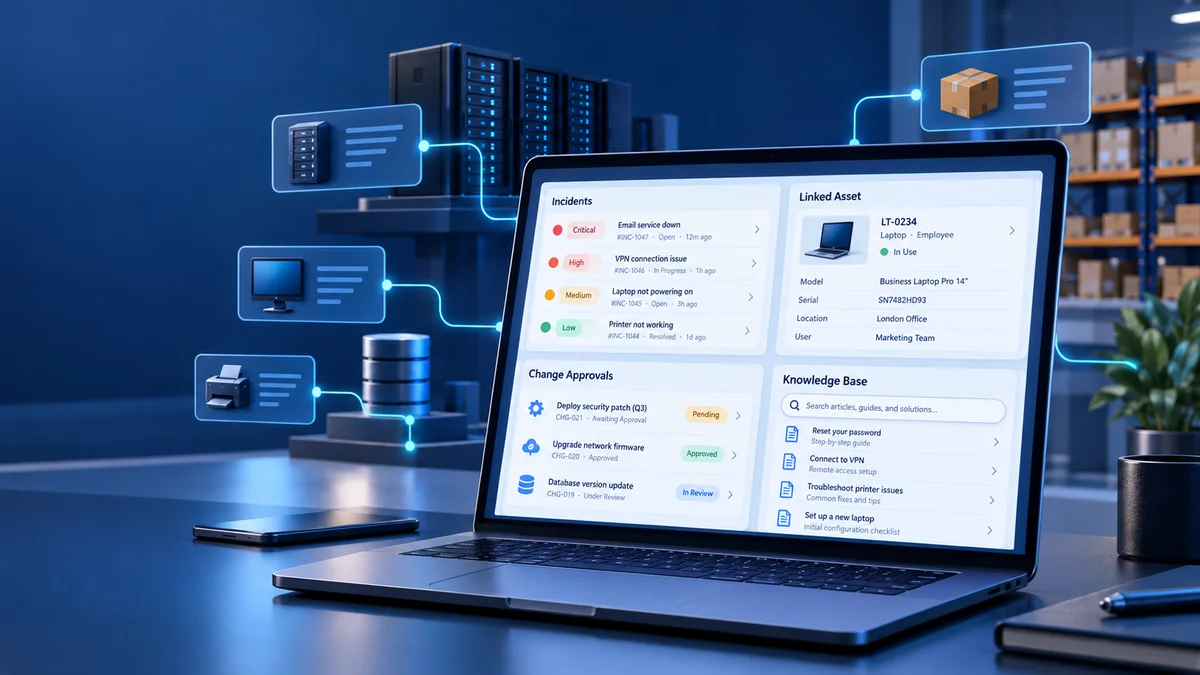
Odoo ITSM Helpdesk vs. a Generic Ticketing Tool: The Real Difference
A generic ticketing tool logs and resolves individual requests. Odoo ITSM helpdesk covers the broader framework around those requests, including asset tracking and change management connected to the rest of the business.
Every ITSM tool includes ticketing as part of what it does. Not every ticketing tool includes full ITSM. A generic helpdesk is built to close tickets quickly. ITSM also helps teams understand why tickets happen by tracking related assets, changes that contributed to an incident, and knowledge that can prevent a repeat.
Does Your Team Actually Need Full ITSM?
Teams supporting fewer than roughly 20 IT staff are often well served by a simpler ticketing tool. Above that size, a basic helpdesk may start to run out of road. Team size is only a starting signal: the more useful test is whether the gaps below are already affecting the team.
Below that rough threshold, a full ITSM platform can bring more process than a small team needs day to day. Above it, common gaps become harder to manage: teams may lack a reliable record of assets linked to repeat incidents, a formal way to approve changes before they go live, or a searchable record of past fixes.
The Five Pillars of ITSM — and Where Odoo Connects to the Rest of Your Business
ITSM covers five connected areas: incident, problem, change, asset, and knowledge management. Odoo ITSM helpdesk can link these activities to business data already held in the ERP.
These areas work together. An incident is logged, its root cause becomes a problem to investigate, and a proposed fix can go through change management before it goes live. The asset record keeps its service history, while the resolution can be documented so the next technician has a useful reference.
- Incident management — logging and resolving individual issues as they happen.
- Problem management — investigating the root causes behind recurring incidents rather than closing each ticket in isolation.
- Change management — reviewing and approving updates or fixes before they go live, helping teams manage the risk of introducing a new incident.
- Asset management — tracking which hardware and software are linked to tickets. With Odoo, asset records can connect to ERP inventory and procurement data instead of a separate asset database maintained by hand.
- Knowledge management — keeping documented fixes available so technicians can find prior solutions instead of starting from scratch.
Decision Guide: Which Option Fits Your IT Team?
The right choice depends on how your team works today and which gaps it needs to address:
- If your IT team is small (under roughly 20 people) and mainly handles straightforward requests, a simpler ticketing tool may be enough.
- If repeat incidents keep happening without a clear record of their causes, ITSM’s problem and change management processes may help close that gap.
- If your company already uses an ERP for accounting, inventory, or HR, Odoo ITSM helpdesk can keep support work connected to the same business system.
- If asset tracking currently relies on a spreadsheet, connecting support tickets with inventory records can reduce manual reconciliation.
- If your team mainly supports external customers rather than internal IT, a helpdesk built around customer service channels may be a better fit.
Signs Your Generic Ticketing Tool Has Hit Its Ceiling
These patterns can indicate that a team needs more than basic ticket tracking, regardless of its exact size:
- The same incidents recur, but the root cause from the last occurrence is not documented.
- The team cannot confidently identify which hardware or software asset is linked to a ticket.
- Changes go live without a clear approval step, and incidents sometimes follow.
- Technicians solve the same problems again because past fixes are not searchable.
- IT reporting requires manually transferring ticket data into a separate spreadsheet.
Choose a Tool That Fits the Work
Odoo ITSM helpdesk is built for a different scope from a generic ticketing tool. A basic helpdesk focuses on closing tickets. ITSM also connects the assets, changes, and recurring problems behind those tickets to the systems the business already uses. The right option depends on your team’s size, support work, and current gaps.
Frequently asked questions
What is the difference between ITSM and a ticketing system?
A ticketing system logs and tracks individual support requests. ITSM is the broader framework around it, covering incident, problem, change, asset, and knowledge management together.
Is Odoo ITSM helpdesk only for internal IT support, or customer support too?
Odoo ITSM helpdesk is primarily suited to internal IT operations, such as employee requests, incidents, and asset tracking. External customer support teams may prefer a helpdesk designed around customer-facing channels.
How long does it take to set up Odoo ITSM helpdesk?
Setup time depends on team size and which modules are configured alongside it. A project timeline should be scoped to your team and requirements.
Does Odoo ITSM helpdesk integrate with asset and inventory management?
Because it is part of the same ERP, support asset records can connect to the company’s inventory and procurement data instead of a separate asset database.
How much does Odoo ITSM helpdesk cost?
Cost depends on team size, ticket volume, and which other modules are implemented alongside it. Ask for a scoped estimate based on your team’s requirements.