
From Setup To Success
Odoo Implementation: Discovery & Scoping
We study your workflows, project types, and pain points to define the right configuration for your business from the very start.

Every successful Odoo implementation begins with a single commitment: understanding your business before building anything. Discovery & Scoping is the most strategically important phase of the entire project — where every decision that shapes the stages ahead is made with intention and precision.
What Odoo Implementation Discovery Involves
This phase is a structured consultation process where our certified consultants work with your leadership, department heads, and key users to answer three essential questions: Where is your business today? Where does it need to go? And which Odoo modules and configurations will bridge that gap most effectively?
Deep-Dive Business Process Analysis
We start by auditing your existing processes — examining how information flows from the moment a lead enters your pipeline to the final reconciliation entry in accounting. This surfaces inefficiencies and manual workarounds that Odoo ERP solutions are designed to eliminate through intelligent automation and streamlined workflows.
- Sales order creation, approval, and fulfillment workflows
- Inventory tracking, replenishment, and multi-location management
- Finance processes: invoicing, payments, and period-end reporting
- HR management: contracts, attendance, leave, and payroll cycles
- Project delivery, resource planning, and client billing flows
Identifying Pain Points & Business Requirements
Once we understand your current workflows, we document all friction points — duplicate data entry, reporting delays, lack of real-time visibility, and error-prone approvals. Every finding goes into a Business Requirements Document (BRD), the blueprint that guides every configuration and development decision throughout the project.
Construction companies deal with BOQ management, subcontractor coordination, and progress billing that require a specialized approach. Learn how we tailor every step in our Odoo for Construction solution.
Defining Scope for a Precise Odoo Implementation
A key output of this phase is the right scope — the precise combination of Odoo apps and customizations that deliver maximum value without unnecessary complexity. We define which modules to activate, which workflows to automate, what data to migrate, which integrations to build, and which compliance requirements apply — ZATCA for Saudi Arabia, ETA for Egypt, or FTA VAT for the UAE.
Setting a Realistic Project Roadmap
Discovery concludes with a detailed roadmap: phases, timelines, milestones, and resource requirements. A well-executed Discovery phase reduces project risk, shortens delivery timelines, and increases user adoption — because the system built reflects how your people actually work. Whether you are a retail chain or a multi-branch restaurant group, see our Odoo for Restaurants solution for a real-world example.
Odoo Implementation: System Design & Customization
Designing the system architecture and customizing Odoo modules to match your company's exact operations and workflows.
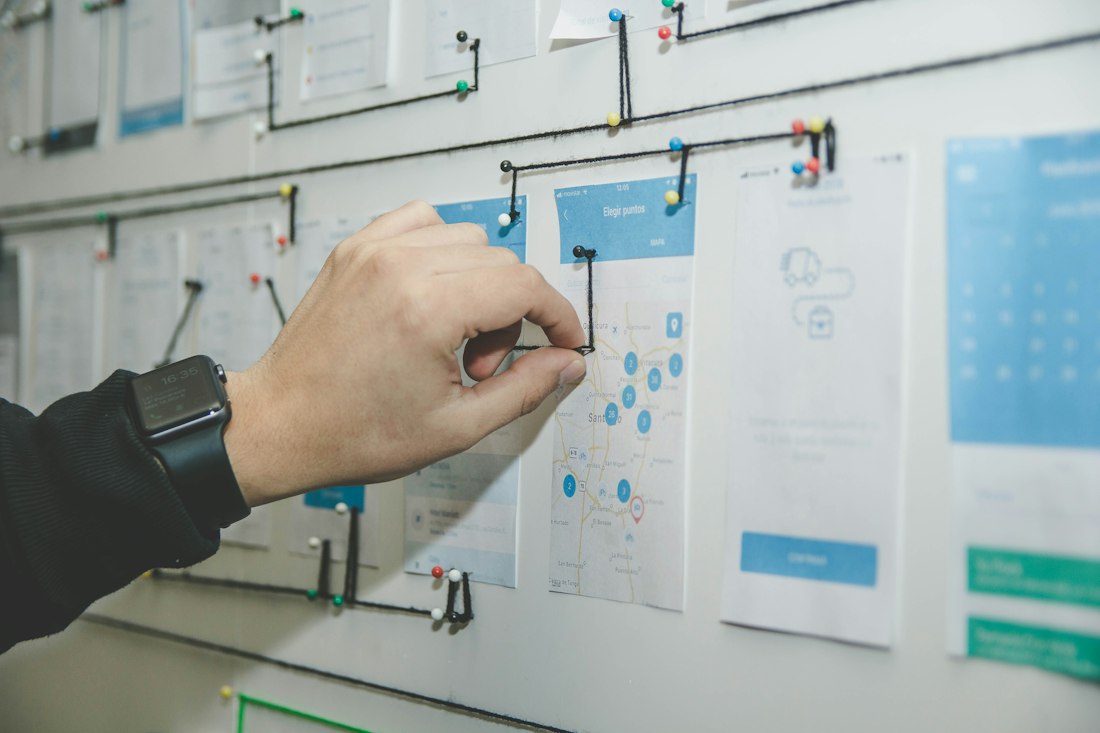
Once Discovery & Scoping produces a clear picture of your requirements, the architectural work begins. System Design & Customization is where strategy becomes structure — where the insights from your team are translated into a functional, scalable Odoo ERP system tailored to the way your company operates.
Designing the Odoo Implementation Architecture
The first task in this phase is defining the overall technical architecture — decisions that will affect performance, scalability, and maintainability for years to come. This architectural blueprint becomes the technical counterpart to the BRD, guiding every configuration decision that follows.
Module Configuration
Our certified team configures core Odoo modules to match your specific business rules — without custom code where the standard platform already meets your needs. This includes chart of accounts with ZATCA, ETA, and FTA compliance, CRM pipeline stages and lead scoring, HR contract templates and payroll structures, and multi-warehouse routing in Inventory.
Custom Development Within the Odoo Implementation
When the standard platform does not cover every unique requirement, our in-house development team steps in — building industry-specific modules, bespoke dashboards aligned to your KPIs, automated workflow triggers, and custom fields that surface the right information to the right people at the right moment.
Construction businesses require BOQ management, IPCs, and subcontractor cost tracking that go well beyond standard project management. Our Odoo for Construction page details the full configuration we build for this vertical.
ERP System Integration Planning
Integration planning at this stage ensures clean data flows and prevents critical processes from falling between systems. We design connections to payment gateways, e-commerce platforms, shipping carriers (Aramex, DHL, FedEx), government portals (ZATCA, GOSI, Qiwa, WPS, ETA), and BI tools. At the end of this phase, your environment exists in a staging system — fully configured and ready for Data Migration & Deployment.
Odoo Implementation: Data Migration & Deployment
Setting up the system, configuring modules, and migrating your existing business data into Odoo with accuracy and zero disruption.

System design defines what your Odoo implementation will look like. This phase is where it comes to life — the most technically intensive stage, where the configured system is deployed, tested under realistic conditions, and populated with the real business data your team will work with from day one.
From Staging to a Live Odoo Implementation
Deployment means taking the architecture from the System Design phase and moving it into a production-ready environment: finalizing all configurations, setting up hosting, provisioning user accounts, activating integrations with government portals and third-party tools, and running end-to-end functional testing across all business processes.
Data Migration: The Most Critical Part of Odoo Implementation
Data migration is one of the most underestimated challenges in any ERP project. It involves extracting data from existing systems — legacy ERP, spreadsheets, or accounting software — cleaning it, transforming it to the correct Odoo format, and loading it accurately. A duplicate customer record or an incorrect opening balance at this stage will create ripple effects through every transaction going forward.
- Master data — customers, suppliers, products, chart of accounts, and employees
- Opening balances — accounting balances, stock valuations, outstanding payables and receivables
- Historical records — past invoices, purchase orders, and sales history where required
- Configuration data — tax rules, price lists, payment terms, and warehouse setups
Data Cleansing: The Step Most Businesses Skip
Before migration begins, data must be cleansed. Years of operating with disconnected systems produce messy records — duplicates, outdated entries, products with missing attributes, and inactive accounts. Our mandatory cleansing stage merges duplicates, standardizes naming conventions, validates balances, and archives obsolete records so you enter Odoo with clean, reliable data your team can trust.
Our 4-Phase Migration Methodology
Data is extracted from the source system and mapped to corresponding Odoo fields. A migration template is produced for each data category.
Data is loaded into a test environment and validated against source records. All discrepancies are resolved before final deployment.
Key users from finance, operations, and HR verify that their data is correct, complete, and usable in the new system.
A clean final migration is performed — timed to a month-end cutover to ensure clean financial records and a clear transition date.
Multi-branch restaurant groups migrating from fragmented POS systems benefit most from this structured approach. Our Odoo for Restaurants solution details how we handle inventory, recipe costing, and loyalty data migration.
Testing & Go-Live Preparation
Comprehensive functional, integration, and performance testing is completed before progressing to Training & User Adoption. By the end of this phase, your system is fully built, fully populated, and fully tested — ready for your team to learn and use with confidence.
Odoo Implementation: Training & User Adoption
Training employees and ensuring every team member can fully utilize the system efficiently and independently from day one.

A well-configured system is only as valuable as the people using it. Training & User Adoption is one of the most critical phases of any Odoo implementation, and at Etriplesoft, it is treated as a strategic priority — not a formality. Technology alone does not transform a business. People do.
Why Adoption Defines the Success of Your Odoo Implementation
Research consistently shows that user resistance is among the leading causes of ERP failure. Employees who do not feel confident with the system revert to spreadsheets and manual workarounds — quietly undoing the digital transformation you invested in. A successful project requires a comprehensive adoption strategy that addresses knowledge, confidence, and practical competency together.
Role-Based Training for Every User
Effective training is never one-size-fits-all. A warehouse operative has entirely different needs from a finance manager or a sales executive. Generic sessions waste time and fail to build the specific competencies each role requires.
Training in Your Real Live Environment
We conduct all training within your actual system — not a generic demo. Your employees learn with your real products, customers, workflows, and data. This approach dramatically increases retention and builds the confidence needed for a smooth go-live. For specialized verticals, we build industry-specific scenarios — see our Odoo for Construction and Odoo for Restaurants solutions.
User Acceptance Testing (UAT) serves a dual purpose: quality assurance and hands-on preparation. During UAT, key users validate workflows and become deeply familiar with the system before go-live — feeding directly into a confident Go-Live & Support transition.
Continuous Learning After Odoo Implementation Go-Live
Because Odoo grows with your business, we provide refresher sessions, onboarding for new hires, and update training with every new version release. The goal is to make the platform a natural, comfortable, and genuinely valued part of daily operations — well beyond the go-live date.
Odoo Implementation: Go-Live & Continuous Support
Launching the system and providing continuous monitoring, optimization, and expert support to keep your Odoo ERP performing at its best.

After weeks of discovery, design, and training, go-live is a significant milestone — but not the finish line. It is the starting point of your Odoo ERP journey in production. This is where all the preparation pays off, and where a capable long-term partner's value becomes most apparent.
What Happens on Odoo Implementation Go-Live Day
Go-live is a carefully orchestrated cutover — timed to minimize disruption and protect data integrity. The process includes final data confirmation, live activation of all API connections (ZATCA Fatoora, ETA e-invoicing, WPS, payment gateways, and shipping carriers), user access provisioning, and deployment of the dedicated Hypercare support team for the first critical days.
The Hypercare Period: Intensive Early Support
The first two to four weeks after go-live are the most critical. Real transactions begin flowing, edge cases not covered in testing emerge, and users encounter live scenarios for the first time. Our dedicated Hypercare period provides response within hours, daily check-ins, on-site or remote assistance for critical processes, and rapid configuration adjustments as real-world usage reveals refinements needed.
Continuous Optimization After Odoo Implementation
A completed project is not a static product. As your business grows, we help you activate new modules, build additional dashboards, refine automations, and integrate new tools and channels. A restaurant group may later add loyalty programs and online ordering; a construction company may progressively activate procurement and subcontractor modules. See our Odoo for Restaurants and Odoo for Construction pages for phased growth examples.
Structured Long-Term Support Tiers
From Project to Long-Term Partnership
The journey through all five stages — Discovery & Scoping, System Design, Data Migration & Deployment, Training & User Adoption, and Go-Live & Continuous Support — represents a complete digital transformation. The most valuable outcome is a trusted, long-term partnership with an Odoo implementation team that understands your business and is committed to helping you grow every year. That is the Etriplesoft commitment.
🎉 Your Odoo Implementation Journey Is Complete
You've followed all 5 steps from Discovery to a live, fully supported ERP system. Ready to begin your own journey?
Ready to Start Your Odoo Implementation?
Join 500+ businesses across UAE, Egypt & Saudi Arabia that trust Etriplesoft to deliver a successful Odoo ERP from day one.